
Blog Post: Tiger Tea Party Devlog
Last Updated: 1/4/2026
This is a devlog for my recent game, Tiger Tea Party, which was made in 2 days for a local lolita-themed game jam.
The below sections go into topics I think are notable.
Key Decisions
For this game, I wanted to embody what I like about both lolita and dressup games: showing off your creative work and seeing how other people chose to express themselves or cleverly matched items in a coordinate.
This led to the key decisions in this game:
A variety of clothing items in a single substyle
A big question for designing dressup games is the scope of styles you’re going to include.
I think it’s more fun to both design and play with a limited scope of styles but a variety of clothing (vs more styles with fewer clothing in a specific style) and chose to theme this game around classic lolita with floral motifs.
Benefit #1 to this choice is being able to explore the depth of a specific style. I only have a limited amount of time in a game jam to draw pieces, so if I included multiple substyles, I could only make 1-2 pieces for each one. I think I’d also end up designing each piece to be a generic representation of the substyle, which is less fun than having the room to explore unique elements in individual pieces within a substyle.
Benefit #2 is that it’s more easy to mix-and-match pieces. This is self-explanatory- it’s more fun to coordinate a matching closet when pieces look good combined in multiple ways. It also prevents players from feeling like there is a “correct” way to make an outfit if they see there is clearly one goth piece in every category, one sweet piece in every category etc.
Non-human base
If a dressup game has a human base, players expect to be able to customize it (hair, skin color, eye color etc) which is beyond the scope of what I can draw in 2 days for a jam game. However I still want all outfits to have a different-looking base for the tea party storyline. So, the best option is a mascot that can be easily recolored.
“Leaderboard” style multiplayer
I wanted some way to share outfits in the game, but didn’t have the time or resources to host my own server. Also since it’s a jam game with a limited audience, the multiplayer needs to still be fun if there’s no one else online.
The clearest answer is a leaderboard. Since so many games use leaderboards, there are a ton of free and simple leaderboard services for games. Some are even aimed at game jams, and are therefore intentionally sparse and easy to learn.
The choice to base the multiplayer around a leaderboard shaped the game loop: The game will be built around playing for a bit, submitting results, and then seeing your and other players’ results.
Everything needs to be done as fast as possible
Self explanatory for a game jam, but truly every decision was made to be done quickly.
- The base and clothing art is all symmetrical so I’m literally only drawing half of each item
- Hacking a premade leaderboard into what I need vs learning Google Firebase or another general-use server
- Extremely pared-down dressup mechanics with art created to need as little programming as possible to use (For example, no need to rearrange layers or reposition clothing)
Outfit Design: Inspirations
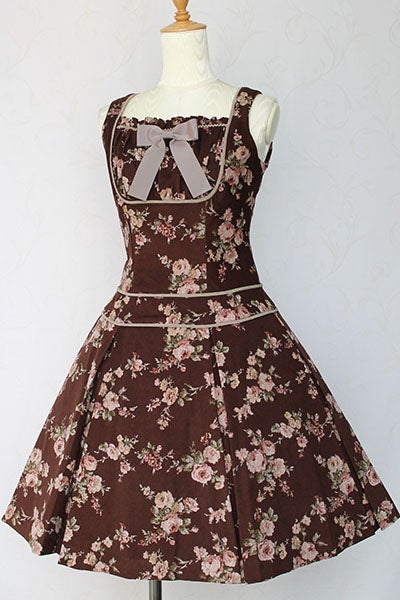
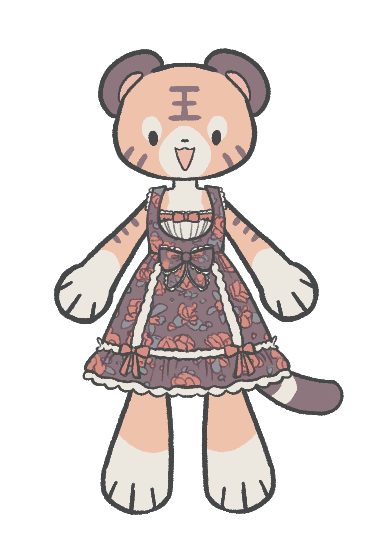
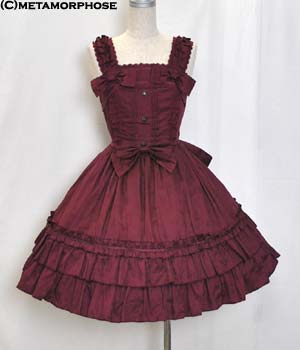
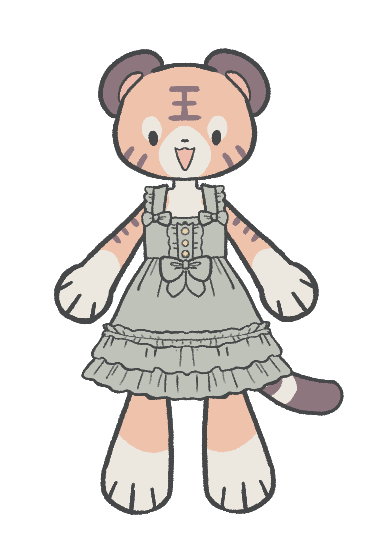
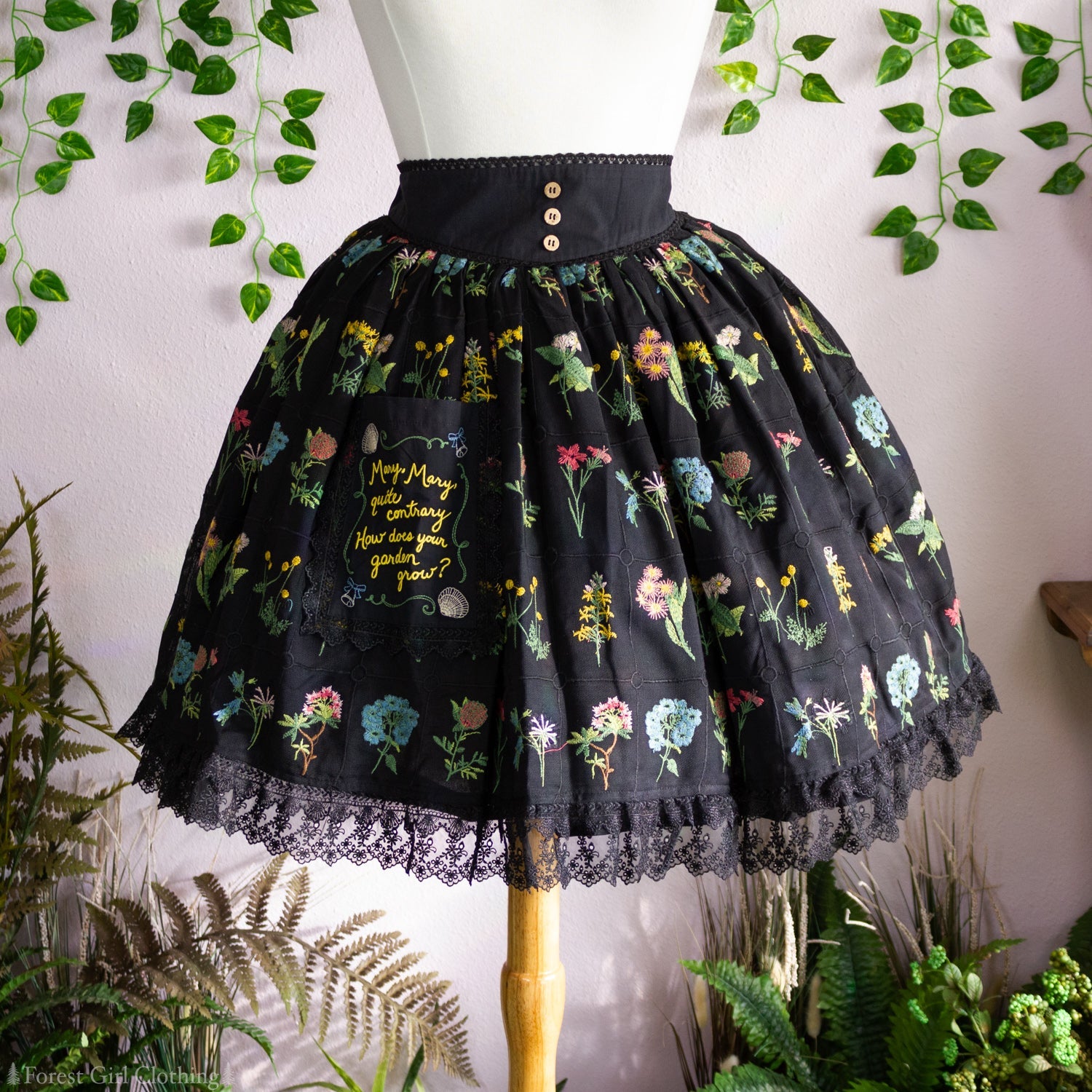
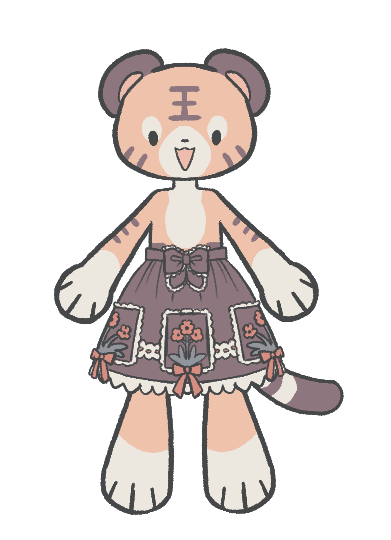
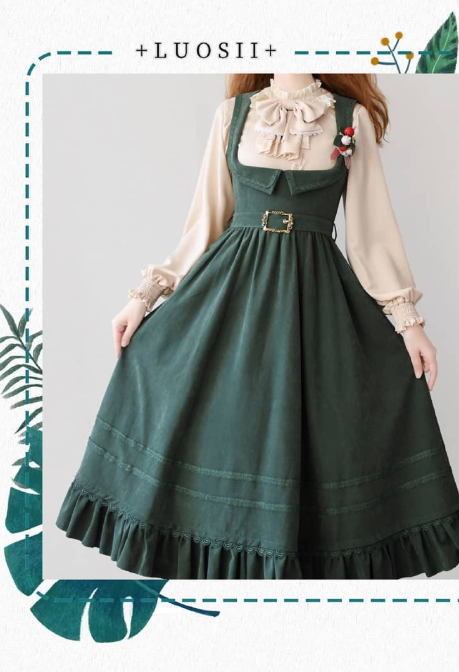
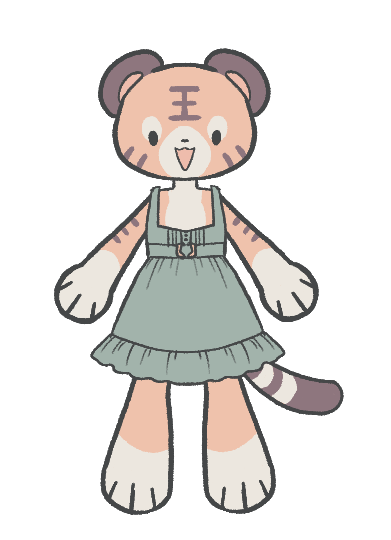
All the outfits in this game are classic lolita with floral motifs. I am not an expert on what delineates different lolita substyles and since my taste is “add bows and frills to everything”, some of the pieces lean sweet. However I still think as a whole, all the items look cohesive and could be matched with each other.
None of the items are meant to be real-life pieces, but I got inspiration for a few of them!
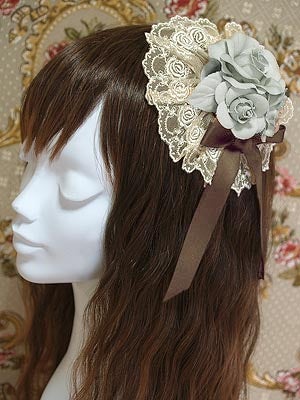
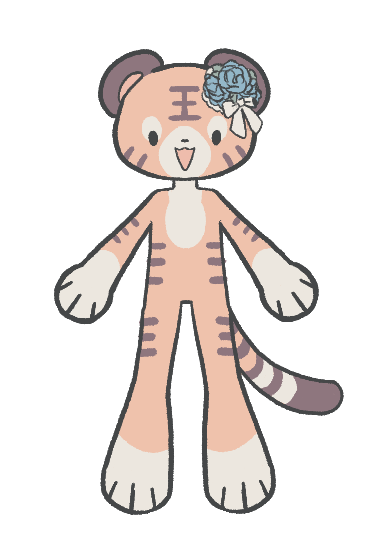
Dressup: Technical Implementation
At this point, I’ve worked on games with dressup elements in Godot (including my current main game that still doesn’t have a Steam page) and learned there are two key decisions to making a dressup game:
- How to store data
- How to display clothing
How to Store Data
Short answer: Resources
In the past, I’ve used these methods to store data:
- An SQLite database (Current main dressup game. Good for storing and retrieving a lot of data, but time-consuming to set up)
- Literally just an array holding a list of textures in a global script (Previous quick/jam projects, very bad don’t do this)
This time, I’m using Godot’s Resource data type, which is a key part of storing data in Godot but something I never bothered to learn since I’m using SQLite in my main project. I was inspired by Zeno using it for our current project for the Doll & Kigu jam (which as of 1/11, has now been posted here) and gave it a shot.
Here is how data is stored and accessed:
- Each clothing resource has an ID, body part (an enum defined in a global script), and texture.
- All resources are then stored in arrays in a “data holder” resource that is loaded in a global.
- This needs to be done because you can’t access files through Diraccess on a WebGL build (or if you can, I didn’t figure out how to do it)
- During runtime, a script iterates through the array and creates dictionaries with ID:Resource key:value pairs for easy lookup during the game
I admit I don’t know if this is the best way to do this because it seems super roundabout, but it worked!
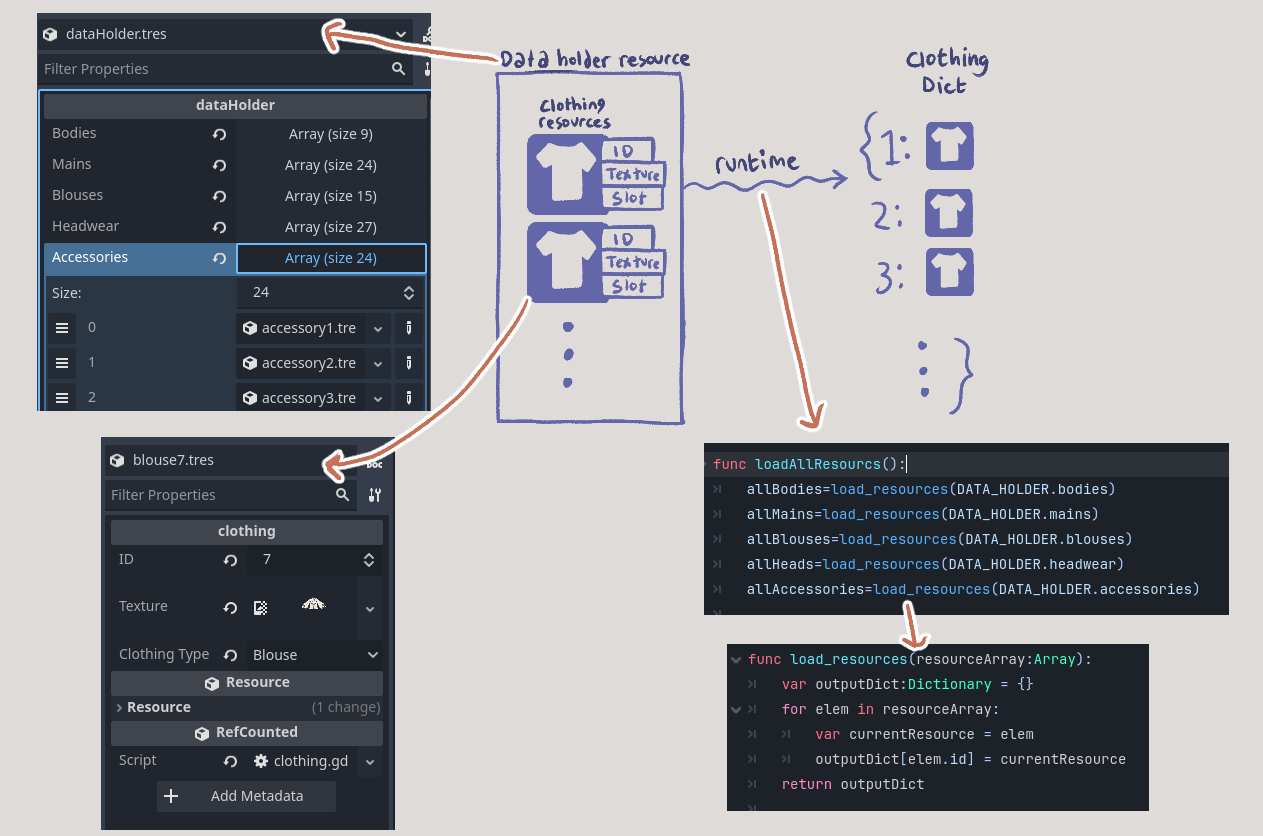
How to Display Clothing
Short answer: Single body with script populating child Sprite2Ds
Displaying clothing is really simple- much simpler than my current main dressup game.
There is a single scene called “DressupBody” that has blank child Sprite2Ds for all the slots. The scene has a script with a function that takes any body part enum and a clothing ID and then loads the texture from the matching clothing resource to the correct body part Sprite2D. The clothing does not need to be repositioned, since all clothing is saved pre-positioned on a canvas with a set size.
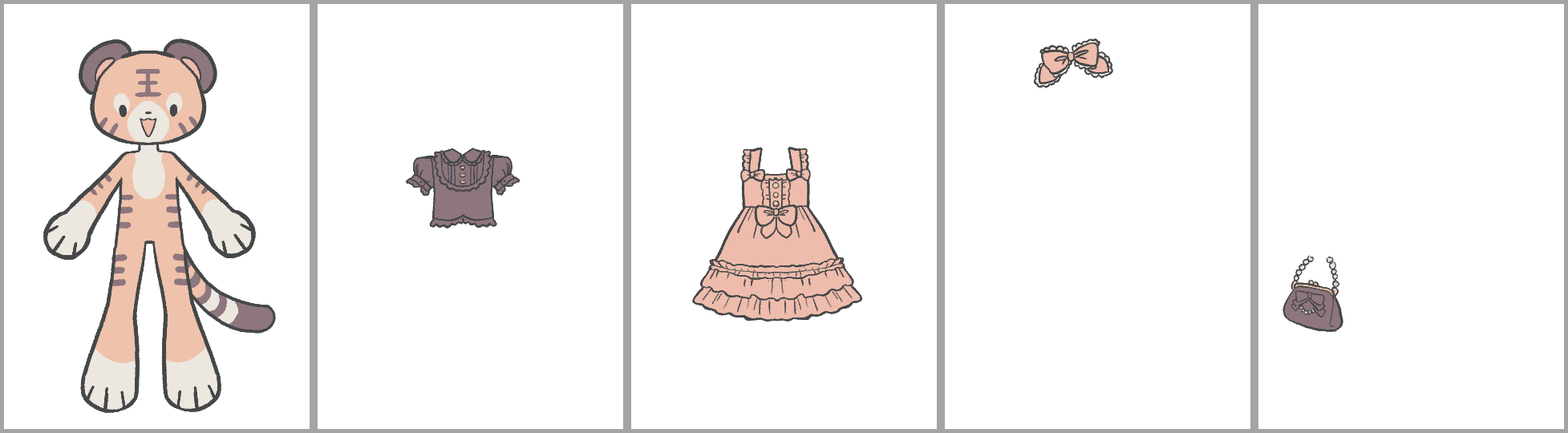
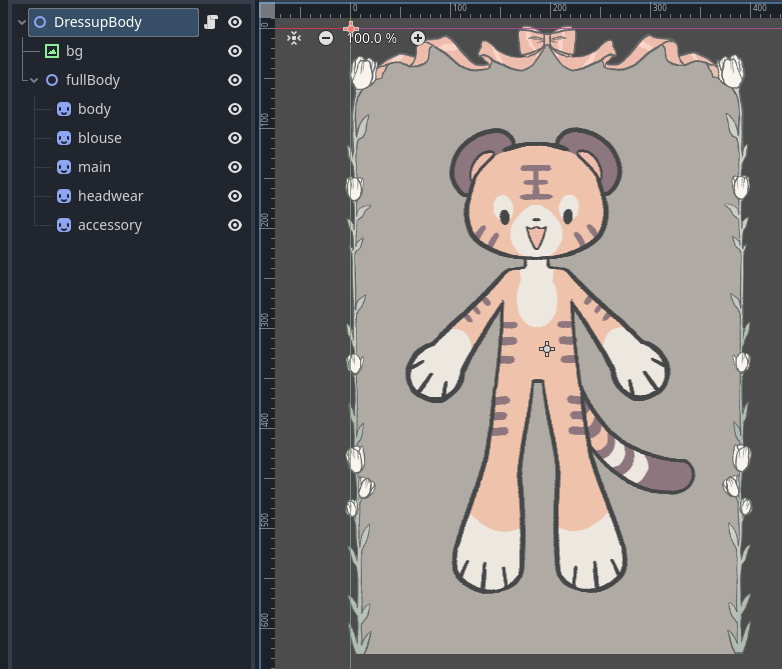
I know from my main game that allowing the player to change the layering of clothing is really tricky, and I didn’t want to deal with that for this jam. So the clothing was also drawn with the layering in mind (for example, erasing the part of the purse that needs to look under the paw, testing various item combinations to minimize clipping).
The single “DressupBody” scene is then reused for every body, from the dressup gameplay to the screen that displays multiple players’ characters. The same function that changes clothes during the dressup scene is used to populate other players’ characters.
Tea Party: Technical Implementation
I used Talo’s leaderboard for the tea party scene. Talo does have general multiplayer and authentication functionality that might be a more obvious fit than a leaderboard, but I wanted something much more plug-and-play for this jam and did not want to ask players to register and log in for such a small game.
If you are thinking of making a similar kind of game, I think Talo is a good choice but with caveats. It was super easy to set it up, but the leaderboard was clearly not made to be used for this kind of purpose. I had to work around the leaderboard’s limitations in ways that were not hard but not scaleable, so I would recommend it for a game jam but not a full game.
I followed this tutorial with the following changes:
Add all data to Props (Properties)
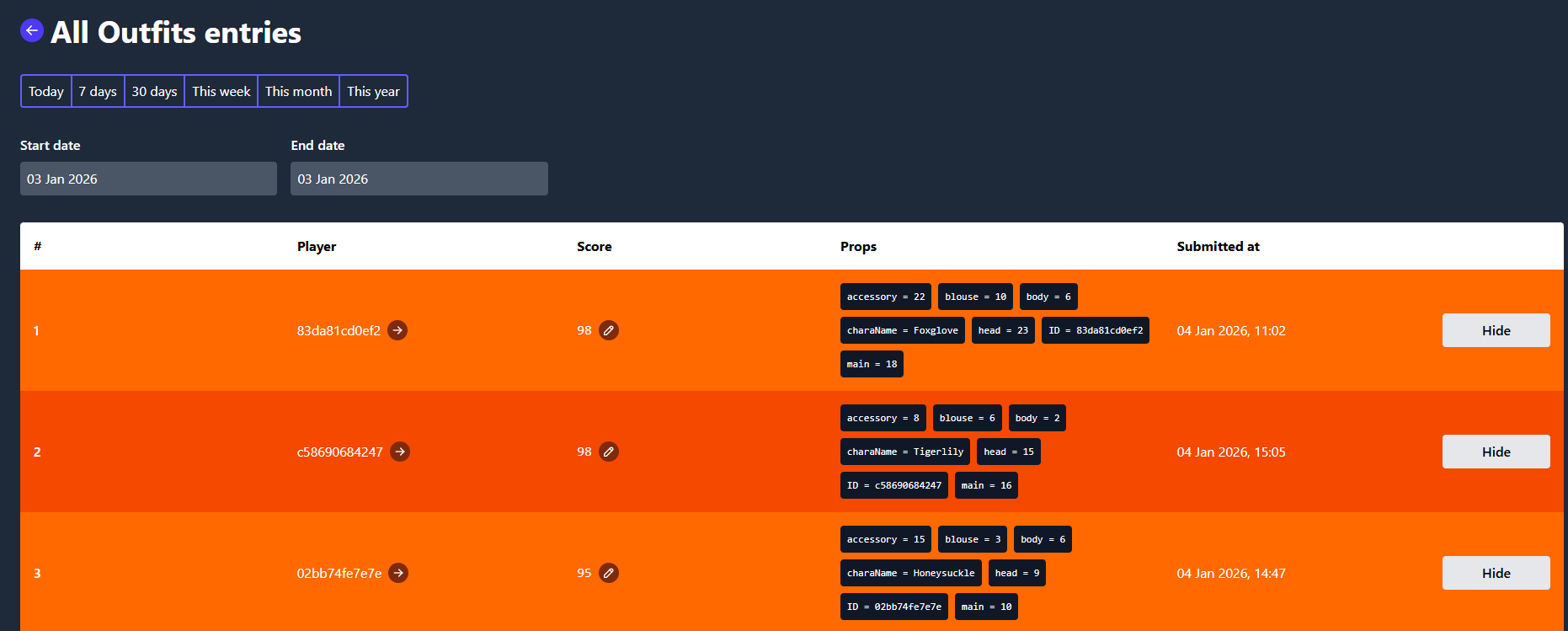
Talo’s leaderboards have the following relevant fields: Player, score, and props (properties).
In our case, we don’t care about the score- all our important data will be stored in the properties, which is basically a dictionary. Properties are not defined beforehand and Talo does not enforce each row having consistent properties, so you will have to make sure you’re only sending consistent data and have error handling for when that doesn’t work.
Scores are randomly generated between 1-100 (NOT all 0s), which is important for the next step.
Get random page, not random entries
In the last part of the game, you see your outfit along with 4 random outfits from other players. However, Talo does not let you fetch random entries from the leaderboard. This makes sense because most people using a leaderboard would only want to see the top x scores, not x random scores in any order.
What Talo DOES let you do is paginate through entries (50 entries/page). So, how you can get x random entries is:
- When the game boots up, get the current last page in leaderboard (only do this once because you have to loop through all the entries to get this)
- When you need to get random outfits, randomly generate a page number and fetch all the outfits on that page
- Randomly get x outfits from the page. In the case where there’s fewer than x outfits on the page, display all outfits
This is why it’s important to randomly generate scores, since entries are ordered by score so it adds another layer of randomization. It’s also why this is not a scalable solution and will not work in a game where the randomization mechanic is more meaningful.
No Authentication
I didn’t want to deal with authentication, and thankfully Talo does not require that for the leaderboard. You still need to call Talo.players.identify() as specified in the tutorial, but instead of providing a username, you can just generate a player ID using this method.
Keep in mind leaderboard entries are not editable when submitted, even if you have the ID.